
Baby Sleep Sounds: White Noise
OddLabsParenting
4.126.00 Reviews
- Version
- 7.2.4
- Installs
- 50.00K
- Age Rating
- Everyone
Screenshots
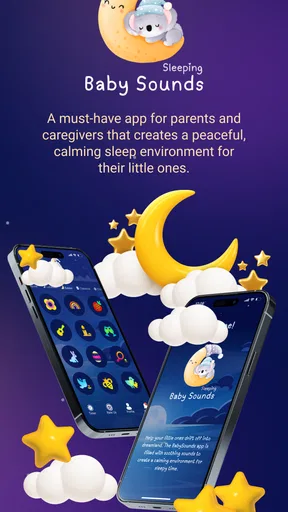
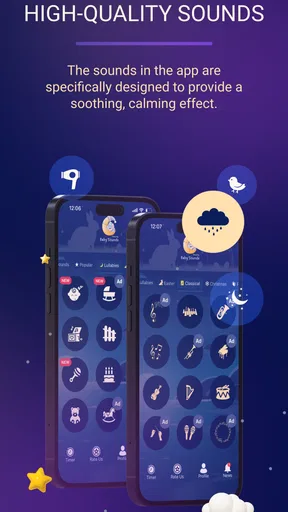
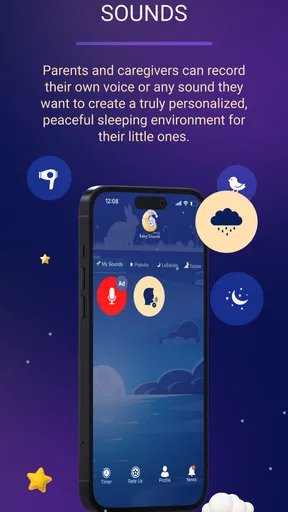
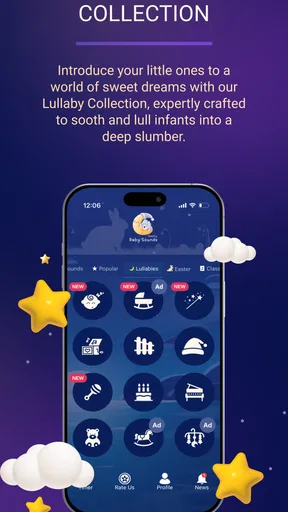
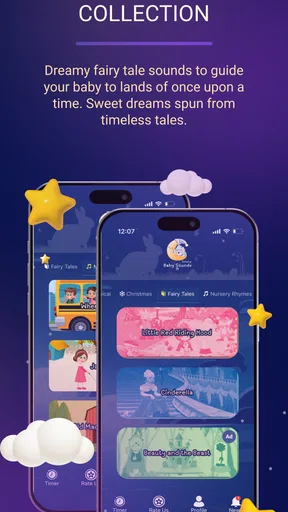
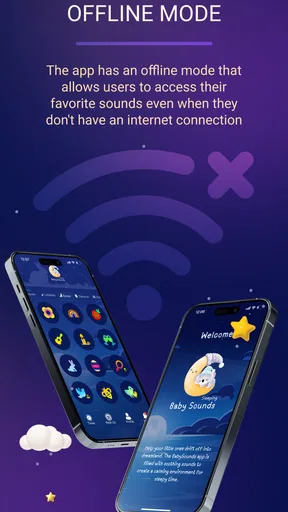
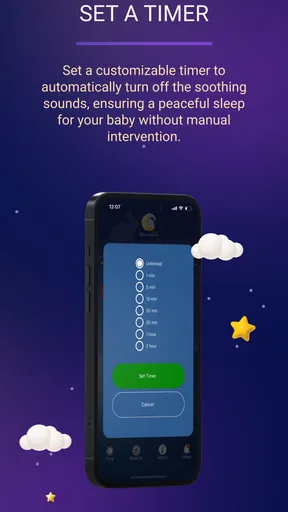
Our Review of Baby Sleep Sounds: White Noise
 Analysis by Appyee
I tried Baby Sleep Sounds: White Noise with a simple question in mind: can a focused sound app make bedtime calmer without creating another complicated task for a tired parent? My impression is cautiously positive. This free parenting app from OddLabs is built around soothing audio for babies, and its appeal comes from being much narrower than a full sleep-training system. It does not ask me to redesign a child’s routine; it gives me a way to introduce steady background sound when the room is too quiet, too unpredictable, or full of distracting household noise.
That focused purpose matters. Parents often reach for a general music service, a video platform, a smart speaker, or a dedicated nursery machine. Those alternatives can work, but they may also bring interruptions, unrelated recommendations, screen light, or extra devices into the bedtime routine. This app sits somewhere between those options: more convenient than a physical sound machine, but less comprehensive than a complete sleep-tracking or parenting platform.
It is listed for everyone, works on Android devices running version 5.0 or later, and is free to install. Optional purchases range from under a dollar to around twenty dollars per item, so I would treat the free experience as the starting point and check the purchase screen carefully before committing to anything. The current version is 7.2.4, and the app has reached over fifty thousand installs with an average rating of 4.1 from more than a hundred ratings. Those figures suggest a modest but real user base rather than a heavily established household name.
What the app feels like in an actual bedtime routine
The most useful way to judge a baby sound app is not by how attractive its menu looks, but by how little attention it demands at the moment you need it. Bedtime is rarely a good time to explore settings. A parent may be holding a baby, dimming lights, preparing a bottle, or trying not to wake an older child. In that situation, the important qualities are quick access, predictable playback, and controls that are understandable without reading a manual.
My preferred use is to choose a sound before settling the baby, start it at a restrained volume, and leave the phone in a safe position away from the crib. I would not place a phone, cable, or speaker inside the sleeping area. The app can provide the audio, but safe placement remains the parent’s responsibility. That distinction is easy to overlook when a sound seems to help, especially during a difficult night.
White noise can be useful because it masks sudden changes better than silence does. A closing door, a conversation in the hallway, or plumbing in another room may be less noticeable against a consistent background. That does not mean every baby will respond to it. Some children settle more easily with a softer ambient sound, while others seem to dislike continuous noise. I would test it during a calm daytime nap rather than introducing it for the first time during an already stressful night.
The app’s store summary points to white noise, sleep sounds, and nursery calm, so I see it as a sound-selection tool rather than a diagnostic product. It should not be treated as evidence that a child has a sleep problem, and it cannot replace advice from a pediatric professional when sleep difficulties are persistent or concerning. Its role is practical and limited: offer an audio backdrop and let the parent decide whether that backdrop helps.
Why a dedicated sound app can beat a video platform
Using a video service for baby sounds is familiar, but it often creates avoidable friction. The screen may stay awake, recommendations may appear afterward, and an unexpected interruption can defeat the purpose of a steady bedtime environment. A dedicated app is more appropriate when I want the phone to behave like a simple audio appliance instead of an entertainment device.
A physical sound machine still has advantages. It does not depend on a phone being available, and it keeps notifications and personal messages away from the nursery. It may also be easier for two caregivers to use without handing over access to a personal device. On the other hand, an app is cheaper to try, easier to move between rooms, and useful when traveling light. For occasional naps, visits to relatives, or a temporary change in sleeping arrangements, that portability is a meaningful benefit.
Compared with a broad sleep-tracking app, this one is likely to feel less demanding. Tracking tools can help parents notice patterns, but they also require logging, interpretation, and sometimes account management. I would choose Baby Sleep Sounds when I want immediate audio rather than a record of sleep behavior. I would choose a tracking product when the main problem is understanding a routine over time.
Controls and the choices I would check first
Before relying on any sound app overnight, I would inspect every visible playback and purchase control while fully awake. I want to know how to start and stop audio, whether the selected sound remains obvious, and whether the app offers a way to avoid leaving playback running longer than intended. I would also check the phone’s system volume separately from any in-app control, because a setting that seems gentle in one room can sound much stronger beside a crib.
This is also the point where I would review any optional content or upgrade prompt. The app is free, but in-app purchases are available, with individual items priced from $0.99 to $19.99. That does not automatically make the purchase model bad, yet it does mean parents should distinguish between what is available without paying and what requires a transaction. I prefer making that decision in daylight, not while trying to resettle a baby at three in the morning.
Account controls deserve the same attention. If an app presents any sign-in, restore, or purchase-management choice, I would use the smallest amount of personal information necessary and avoid creating an account merely out of habit. A sound tool should not become more complicated than the problem it is meant to solve. I would also review the operating system’s app permissions and notification settings directly, since those are the clearest controls available to me as the device owner.
The important trust point is that I would not assume privacy practices from the app’s parenting category or from its calm visual style. A soothing interface is not proof of minimal data collection. I would read the privacy information shown in the store and inside the app, examine the permissions requested on my device, and decide whether those choices fit my comfort level. If the app asks for access that seems unrelated to playing sounds, I would pause rather than granting it automatically.
Data-sensitive moments during ordinary use
Parenting apps can feel more sensitive than ordinary entertainment apps because the phone may be used around a child, in a bedroom, or while caregivers are tired and distracted. Even a basic sound tool can appear during moments involving routines, naps, or family schedules. I would therefore keep notifications as limited as possible and avoid leaving the app open on a lock screen where other people could see private device information.
I would also separate the app from the child’s identity. There is no practical reason to type a baby’s full name, birth details, medical information, or sleep history into a sound player unless a clearly explained feature genuinely requires it. For this use case, I would keep the setup anonymous and simple. That is not a claim about what the app collects; it is a sensible user choice that reduces the amount of information I personally place into any app.
Shared-device households need a little extra care. If both parents use the same phone, purchase prompts and account settings may be visible to the person who manages the device. If the phone belongs to one caregiver but the other handles bedtime, I would explain the basic controls rather than handing over the device without context. A physical sound machine is easier in this specific situation because its controls are not mixed with messages, photos, and financial settings.
Travel is another realistic test. In a hotel or unfamiliar home, consistent audio may help cover new background sounds, but the phone may also be needed for calls, navigation, or emergency contact. I would test the app before leaving home, keep the device charged, and avoid treating it as the only sleep aid. A familiar bedtime cue, darkness, and a stable routine should still work if the phone has to be used for something else.
Practical ways I would use it without overcomplicating sleep
My first tip is to create a repeatable sequence rather than searching through sounds every night. I would select the preferred option in advance, set the phone down safely, and use the same short routine before playback begins. The value is not only the audio; it is the reduction in decisions. When a baby wakes, a parent should not have to compare a long list of sounds while standing in a dark room.
My second tip is to compare the app with the room itself. If the nursery is already noisy, the sound may need to be audible enough to create consistency, but louder is not automatically better. I would start quietly, listen from the baby’s sleeping position, and keep the source well away from the crib. If I find myself increasing the volume repeatedly, I would address the environmental noise instead of assuming the app needs to be louder.
My third tip is to use it as a temporary bridge, not a requirement for every sleep. A child may begin associating a particular sound with settling, which can be helpful at home but inconvenient during travel or a power outage. I would occasionally practice naps with the sound reduced or absent when conditions are already calm. That keeps the family from becoming dependent on a single phone, battery, or app setting.
A fourth useful workflow is to test interruptions before bedtime. I would place the phone in its intended location and check whether calls, alarms, Bluetooth behavior, or other audio sources change playback. The exact result can depend on the Android device and its system settings, so I would not assume every phone handles background audio in the same way. A short test prevents discovering a problem after the baby is already asleep.
Who will appreciate it, and who should choose something else
I think this app is best for parents who want a low-cost way to try consistent nursery audio without buying another piece of equipment. It also suits caregivers who move between rooms, families who travel occasionally, and anyone who finds general-purpose media apps too distracting for bedtime. The free entry point makes experimentation less intimidating, provided the user is comfortable reviewing optional purchases and device settings.
It is less suitable for someone who wants detailed sleep analytics, feeding logs, developmental guidance, or a complete bedtime program. Those needs call for a broader parenting tool, and adding several separate apps may create more work than it saves. I would also hesitate to recommend it as the main solution for a child whose sleep is affected by illness, breathing concerns, pain, or ongoing distress. Audio can support a routine, but it is not a substitute for professional help.
Parents who strongly prefer offline, single-purpose hardware may be happier with a dedicated sound machine. That choice avoids phone notifications, battery competition, and the temptation to check messages during bedtime. Families already comfortable with a smart speaker may also prefer voice control, although they should consider the privacy implications of having a connected microphone in the home. Baby Sleep Sounds is most compelling when convenience and portability matter more than complete separation from the phone.
Trust, transparency, and the final decision
OddLabs presents this as a parenting app rather than a medical or monitoring service, and that framing matches how I would use it. I would judge it by the clarity of its visible choices: whether playback is easy to control, whether optional purchases are clearly marked, whether account prompts are understandable, and whether the app’s requested permissions make sense for an audio tool. These are the details that build trust in practice, not the calming theme alone.
The 4.1 average from over a hundred ratings gives it a reasonably encouraging starting point, while the more modest review volume tells me not to treat the product as universally proven. I would install it because it is free to try, not because a rating guarantees that my baby will respond to the same sound. The experience can vary with the child, the room, the phone, and the family’s tolerance for using a personal device at bedtime.
My cautious verdict is that Baby Sleep Sounds: White Noise is worth trying when the goal is simple: introduce steady background audio and see whether it supports a calmer routine. I like the portability and the focused purpose, and I would choose it over a video platform when I want fewer entertainment distractions. I would keep the volume conservative, place the device safely, review permissions and purchase controls, and maintain a backup routine that does not depend on the app.
The best reason to use it is convenience, not magic. It can make an inconsistent environment feel more predictable, but it cannot guarantee sleep and should not become the only strategy a family has. For parents who want a straightforward experiment before buying hardware, the free download is a sensible place to start. For families seeking privacy from phones, detailed sleep information, or professional guidance, a physical sound machine, a specialized tracking tool, or a qualified healthcare professional may be the better choice.
Verdict
Strengths of Baby Sleep Sounds: White Noise
- Includes calming sounds designed to help babies settle and sleep.
- Simple controls make it easy to start a sound quickly.
- Useful timer options can stop playback after a chosen period.
- Works well as a consistent part of a bedtime routine.
- Portable alternative to carrying a separate white-noise machine.
Limitations of Baby Sleep Sounds: White Noise
- Continuous playback may drain the phone’s battery overnight.
- Some sounds or features may require in-app purchases.
- A phone must remain nearby while the audio is playing.
- Loud playback can be unsafe if the device is placed too close.
- Background noise may become less effective as a baby grows older.
Similar Picks in This Category
View All
Family Space
Motorola Mobility LLC.3.9

شرطة الأطفال - مكالمة وهمية
Oub Apps4.1

Findmykids: Parental Control
LETEM LTD4.6

Pregnancy + | Tracker App
Philips Electronics UK Limited4.8

Policía de niños - para padres
Kids police4.7

Pregnancy App
Amila4.9
Frequently Asked Questions
What is Baby Sleep Sounds: White Noise used for?
Baby Sleep Sounds: White Noise is designed to create a calm and consistent background sound that may help babies settle down, relax, and sleep more easily. It typically offers sounds such as white noise, gentle rain, fans, nature ambience, or lullabies. The app can be useful during naps, bedtime, travel, or other situations when sudden household noises might disturb a baby’s sleep.
Is Baby Sleep Sounds: White Noise safe for newborns and babies?
The app can generally be used around babies when the volume is kept low and the device is positioned safely away from the crib. It should never be placed inside the crib, under bedding, or within the baby’s reach. Parents should also follow safe-sleep recommendations, monitor the child, and avoid treating the app as a replacement for medical advice or professional guidance about sleep problems.
Does the app work without an internet connection?
Whether Baby Sleep Sounds: White Noise works offline depends on the specific sound library and version installed. Many sound apps allow selected tracks to be downloaded or played locally after installation, while some features may require an internet connection. It is worth testing the desired sounds before bedtime, especially when traveling or using the app in a location with weak or unavailable mobile data.
Does Baby Sleep Sounds: White Noise include a timer or automatic stop feature?
A timer is an important feature for parents who do not want audio playing continuously throughout the night. Baby Sleep Sounds: White Noise may provide options to stop playback after a chosen period, fade the sound gradually, or continue playing until manually stopped, depending on the version and device. Users should check the playback controls before relying on it for overnight use.
Are there advertisements or paid features in Baby Sleep Sounds: White Noise?
The app’s business model can vary between Android and iOS versions and may change with updates. Some sound collections or advanced controls might be available only through in-app purchases, while advertisements may appear in the free edition. Before downloading, review the store listing and permissions carefully so you understand which sounds are included at no cost and whether subscriptions or one-time payments are offered.
